Remote Control App For All TVs
- 4.4
- Rating
- 1.00M
- Installs
- Free
- Price
 Analysis by App-foxy
I usually notice a universal remote app at the worst possible moment: the physical remote has disappeared between the sofa cushions, the batteries are tired, or someone has left the television on the wrong input. Remote Control App For All TVs is designed for that exact kind of everyday problem. It is a free productivity app from HOOHUA that turns an Android phone into a television remote, with the aim of replacing several separate controllers with one device.
After spending time with it, my view is fairly simple: this is most appealing when convenience matters more than having every advanced television feature in one place. It can be a practical backup and a useful household tool, but it is not automatically a perfect substitute for the remote that came in the box. The important question is not whether a phone can control a TV in theory. It is whether this particular approach fits your television, your home network, and the way you actually watch.
How I would decide whether it belongs on your phone
The first decision point is compatibility. A universal remote sounds broad, but television control still depends on the communication method supported by the phone and the TV. Before relying on the app for a movie night, I would test it beside the original remote and confirm that the basic commands work reliably: power, volume, channel or navigation controls, and input selection. That short test tells you much more than the promise of controlling many televisions.
You May Also Like

 Blood Strike: 2.5 Anniversary
Blood Strike’s Loadouts Turn Every Drop Into a Tactical Gamble
A close look at Blood Strike’s custom loadouts: how fast access to signature weapons reshapes its battle royale rhythm, rewards preparation, and narrows the gap between fights.

 Pandora - Music & Podcasts
Pandora’s Music Is Easy to Start, but Harder to Recover
Pandora’s strength is its low-effort path from a seed to a station. Its weak spot is how much confidence it asks you to place in connection, setup, and quiet recovery.

 8 Ball Pool
 Is Built on Rivalries, Rematches, and Routine
A close look at the rivalries, rematches, shared routines, and unanswered safety questions that turn a quick pool match into a persistent mobile community.

 Samsung Music
’s Quiet Strength Is Playing What You Already Own
Its reach comes less from spectacle than from dependable access to a personal library. That simplicity is both the app’s strongest retention engine and its ceiling.

 AccuWeather: Weather Radar
AccuWeather Review: A Quick, Clear Forecast for Everyday Decisions
For everyday plans, the best forecast is the one you can understand quickly. AccuWeather makes rain timing, radar, and local conditions easy to act on, with a few trade-offs.

 Hill Climb Racing
Why Hill Climb Racing Still Turns Crashes Into One More Run
A tiny car, a bumpy hill and one more upgrade: Hill Climb Racing keeps resurfacing because its simple chaos makes every near-miss feel personal.
More From Our News Desk



The second criterion is convenience. A phone is usually nearby, but it is also used for messages, calls, charging, and other tasks. A physical remote is dedicated and instantly available. The app makes more sense if you often misplace the original controller, need a spare remote, or want one familiar interface for televisions in different rooms. It makes less sense if you dislike unlocking your phone every time you adjust the volume.
I would also consider the role of the app in your home. For a guest room, shared apartment, office waiting area, or television used only occasionally, a phone-based remote can be an inexpensive safety net. For a main living-room television used for long sessions every day, the small delays of opening an app and keeping a phone in hand may become irritating. The right choice depends on repeated habits, not just the number of supported TV brands.
Remote Control App For All TVs is listed as free, which makes trying it relatively easy. It also includes optional in-app purchases ranging from a few dollars to amounts approaching one hundred dollars per item, so I would pay attention to any upgrade screen before confirming anything. The free starting point is useful for testing compatibility, but I would not assume that every convenience is included without checking what the app presents on your device.
Its audience is broad: the content rating is Everyone, and the app sits in the productivity category rather than entertainment. That description fits my experience of its purpose. It is not trying to replace a streaming service or add shows to your television. Its value is practical and immediate: reducing the number of remote controls you need to find when you simply want to change what is on screen.
The small setup habits that make a big difference
My first tip is to test the app from the place where you normally sit, not only beside the television. A remote that works when the phone is pointed directly at the screen may feel less useful from across the room. If control depends on a network connection, the phone and television also need to be reachable in the same home environment. Testing from your usual chair exposes problems before you depend on the app.
My second tip is to create a simple backup routine. Keep the original remote somewhere predictable while you evaluate the app instead of putting it in a drawer immediately. If the phone battery is low, the app cannot open, or the television does not respond, you still have a dependable fallback. This is especially important in homes where several people need to operate the TV and not everyone has the app installed.
A third useful habit is to check the most important command first. Many people begin by looking for a polished layout, but the real test is whether the controls you use most often respond consistently. Power and volume are obvious, yet input switching can be just as important if you move between a streaming box, a console, and the television’s own apps. I would judge the app on those repeated actions rather than on a single successful connection.
Where the app is genuinely useful
The strongest advantage is consolidation. Instead of searching for a different controller for every television, I can start with one phone and see whether it can handle the screen in front of me. That is particularly helpful when a household has accumulated several TVs or when the original controller is shared between rooms. The phone is already a familiar object, so the learning curve is generally smaller than learning an unfamiliar replacement remote.
There is also a practical benefit for temporary situations. Imagine arriving at a rental apartment and finding a television with no obvious remote nearby. If the app works with that setup, a phone can provide a faster solution than buying batteries or searching through drawers. The same applies to a spare television that is rarely used: I would rather try a free remote app than purchase a dedicated controller for a screen that sits idle most of the time.
Another strength is the possibility of making control more personal. A phone screen can be easier to read than tiny labels on an old remote, especially for someone who struggles with small buttons. It can also be easier to keep clean than a shared controller handled by many people. I would not call this a replacement for every accessibility need, but for users who prefer a larger, touch-based interface, it is a meaningful reason to try the app.
The app’s scale also suggests that it is not an obscure experiment. It has passed half a million installs and holds an average rating of 4.5 from around 2.8 thousand ratings, with 223 written reviews. Those figures do not guarantee that it will work with your exact television, but they do make the app worth testing before moving straight to a paid hardware alternative. I treat that public response as a starting signal, not as proof of universal compatibility.
A realistic evening with it
Consider a normal evening in a shared apartment. One person has taken the physical remote to another room, the television is on the wrong input, and a guest wants to lower the volume. With the app already installed and configured, I can use the phone that is in my hand instead of interrupting the conversation to search for the controller. That is where the app earns its place: not through a dramatic feature, but by removing a small interruption at exactly the right time.
The same workflow can help parents who keep the physical remote out of reach of young children. The phone stays with an adult, while the television remains controllable when needed. However, that convenience comes with a trade-off: handing a phone to a child is very different from handing over a simple remote. Accidental taps, leaving the app, or opening another part of the phone can create more friction than the original controller.
I also see a use for people who manage more than one television during the day. Someone working from home might use a screen in the office and another in the living room. A phone-based remote can reduce the need to remember which physical controller belongs to which TV. I would still label each television clearly in my own routine, because a universal tool becomes confusing if you cannot tell which device is currently selected.
What I would watch for during daily use
The main weakness is that the phone is not a dedicated remote. You may need to unlock it, open the app, wait for the control screen, and then find the button you need. That sequence is acceptable when the original remote is missing, but it can feel excessive for a quick volume adjustment. Notifications, calls, battery-saving behavior, or accidental screen locks can also interrupt the experience in ways a traditional controller does not.
Network-dependent control introduces another possible point of friction. If the television and phone are not communicating through the expected connection, setup may take longer than anticipated. I would avoid installing the app for the first time just as guests arrive or a program is starting. Give yourself a few minutes to establish control, then test it repeatedly. A remote app is only useful when it is ready before the urgent moment.
There is a similar limitation for advanced controls. A physical remote is designed around the exact television model and may expose specialized buttons for menus, playback, settings, or connected equipment. A universal phone interface has to serve a wider range of devices, so it may feel less precise. If your viewing routine depends on a particular shortcut, I would compare that action carefully before deciding to retire the original remote.
Privacy and battery comfort also matter in a practical sense, even when they are not the headline features. The app lives on a device you carry everywhere, and using it repeatedly means spending a little more time with the phone in your hand. For occasional use, that cost is minor. For constant television control, it may be enough to make a dedicated remote or the television maker’s own solution feel more natural.
When another type of remote may suit you better
The usual alternative is the original manufacturer remote. It remains the safest choice for exact model-specific control, especially if you use menus, picture settings, or several connected devices. It also works without asking you to unlock a phone. If your existing remote is available and comfortable, I would not replace it purely because a universal app is available.
A replacement physical universal remote may be better for a family television. It can be left on the coffee table, shared by everyone, and operated without a personal phone. This category is more suitable when children, visitors, or older relatives need access without learning an app. The trade-off is that you must buy the hardware and possibly configure it, while this app lets you experiment without that initial purchase.
The television maker’s own mobile remote can be a stronger option when you want deeper integration with one brand or a particular smart-TV platform. I would consider that route if the television’s menus, streaming shortcuts, or voice functions are central to your routine. Remote Control App For All TVs is more attractive when you value a broad, simple approach and do not want to commit to a separate app for every television.
Physical infrared accessories and specialized smart-home controllers are another category, but they are more appropriate for people building a deliberate home-control system. They may provide a more consistent dedicated experience, yet they add hardware, setup, or ongoing cost. For someone who only needs an emergency remote, that is unnecessary complexity. For someone who wants one carefully organized control system, a basic phone app may feel too limited.
My comparison is therefore not about declaring one winner. This app wins on low-risk experimentation and the convenience of using a device already in your pocket. The original remote wins on immediacy and model-specific behavior. A manufacturer solution may win on deeper integration, while a physical universal remote wins on household sharing. Knowing which of those advantages matters to you prevents a disappointing switch.
The cost of changing your routine
Because the app is free to start, the financial barrier is low, but the real switching cost is time and habit. You need to install it, identify the television, test the controls, and decide where the physical remote will live afterward. That is not difficult, yet it is enough to make a rushed installation frustrating. I would treat the first session as a compatibility check rather than assuming the app is ready immediately.
The optional purchase range deserves a careful look before upgrading. A free app can be excellent for occasional backup use, while a paid tier may only make sense if you use it frequently and understand what extra value it provides. I would not approve a purchase simply to solve a one-time missing-remote problem. First confirm that the basic experience is reliable with your television and that the app fits your daily routine.
There is also a social switching cost. If several people use the same TV, one person adopting a phone remote does not automatically solve everyone’s problem. You may need to keep the original controller available or install the app on more than one phone. That can cancel out the simplicity you expected. For a single user, the transition is easier; for a busy household, a shared physical remote may remain the more sensible center of control.
The current version is 1.4.3, and the app requires Android 10 or later. That makes the operating-system requirement important before you plan around it, particularly if you are using an older spare phone as a permanent remote. A compatible newer phone is not enough if the device you want to leave beside the television cannot install the app. I would check the Android version first, then test the television connection.
HOOHUA has positioned the app as a broad remote utility rather than a specialized tool for one television family. That gives it a clear identity, but it also explains why I would keep expectations realistic. Universal control is about covering common needs across devices, not necessarily reproducing every button from every original controller. The more specialized your setup, the more carefully I would compare the actions you rely on.
My recommendation after weighing the trade-offs
I recommend Remote Control App For All TVs for Android users who want a free backup, frequently lose physical remotes, or need a straightforward way to try controlling several televisions from one phone. Its best use is as a practical household utility: install it before you need it, test the important commands, and keep the original controller available until you trust the replacement.
I would be more cautious about recommending it as the only remote in a shared home. If everyone needs instant access, a physical controller is usually less awkward. I would also steer advanced television users toward a model-specific or manufacturer-focused option when specialized menus and connected equipment matter more than universal convenience.
The app is available for Everyone and has reached more than 500 thousand installs, which makes it a reasonable candidate for a trial rather than an automatic purchase. My advice is to judge it in three steps: confirm that your phone meets the Android requirement, connect it before an urgent viewing moment, and repeat your most common commands from your normal seat. If those tests go smoothly, the app can remove a surprisingly annoying household problem.
For me, the final decision comes down to what I want from a remote. If I want the fastest possible button press, I still prefer a dedicated controller. If I want a convenient spare that is already in my hand, this app is much more compelling. Use it as a tested backup first, then decide whether it deserves to become your main remote. That approach gives you the convenience without giving up the reliability of the tool you already know works.
FAQs for Remote Control App For All TVs
01Is the Remote Control App compatible with all TV brands?
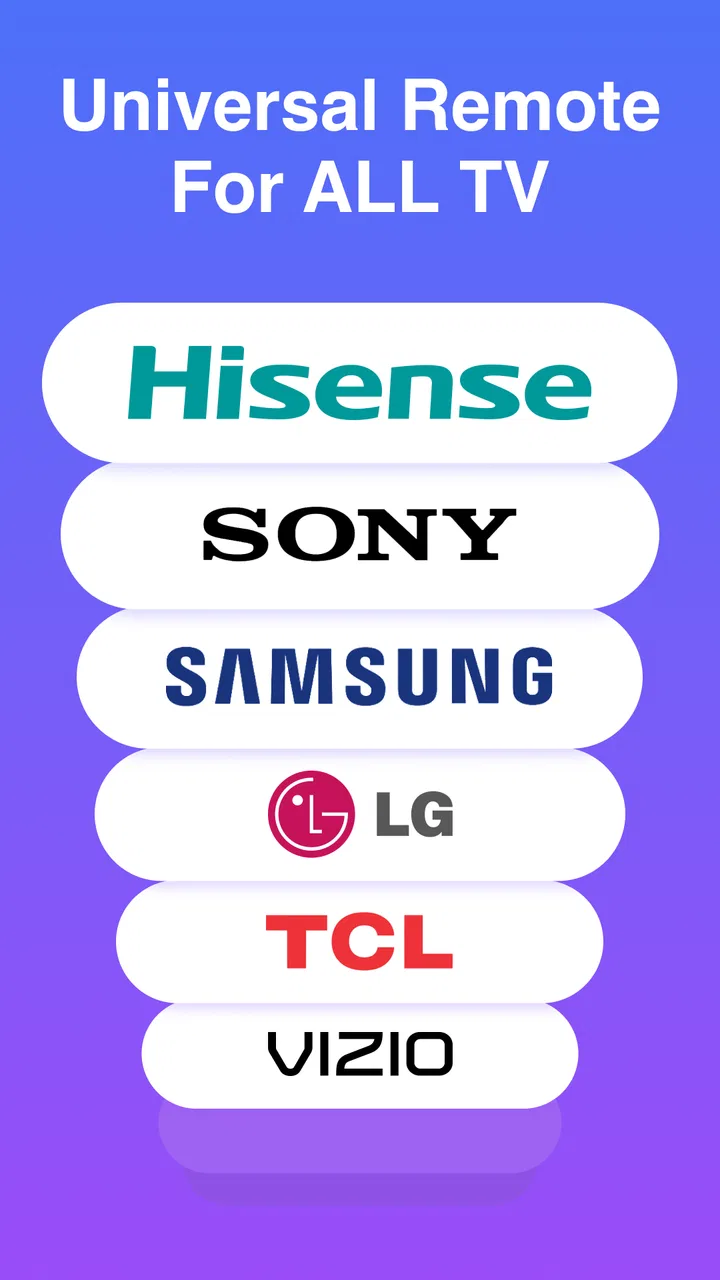
Yes, the Remote Control App is designed to work with a wide range of TV brands, including popular ones like Samsung, LG, Sony, and Panasonic. However, compatibility may vary with less common brands or older models. It's recommended to check the app's compatibility list or user reviews for specific brand support.
02Does the app require an internet connection to function?
The Remote Control App primarily uses your device's IR blaster to communicate with your TV, which does not require an internet connection. However, some features, such as accessing streaming services or software updates, may need internet access. Ensure your device supports IR blaster technology for offline use.
03Can I use the app to control other devices besides TVs?
Yes, many Remote Control Apps are versatile and can control various devices like set-top boxes, DVD players, and streaming devices. The app often supports multiple device profiles, allowing you to switch between different electronics seamlessly. Make sure to check the app's compatibility with your specific devices.
04How easy is it to set up the Remote Control App?
Setting up the Remote Control App is typically straightforward. After downloading, the app guides you through a step-by-step process to sync with your TV or other devices. Most apps offer an intuitive interface that simplifies the setup, often requiring just a few minutes to complete the initial configuration.
05Is the app free to use, or are there in-app purchases?
The Remote Control App is usually available as a free download, providing basic functionality at no cost. However, many apps offer in-app purchases for advanced features, such as removing ads, accessing premium device compatibility, or enhanced customization options. Review the app's pricing details to understand any potential costs.
Pros
- Easy setup with most TV brands.
- User-friendly interface for quick access.
- Supports voice command features.
- Regular updates improve functionality.
- No additional hardware required.
Cons
- Limited compatibility with older TVs.
- Ads can be intrusive at times.
- Requires stable Wi-Fi connection.
- Some features locked behind paywall.
- Occasional lag in response time.

Remote Control App For All TVs
Gallery